# QGIS (PC)

## Intro

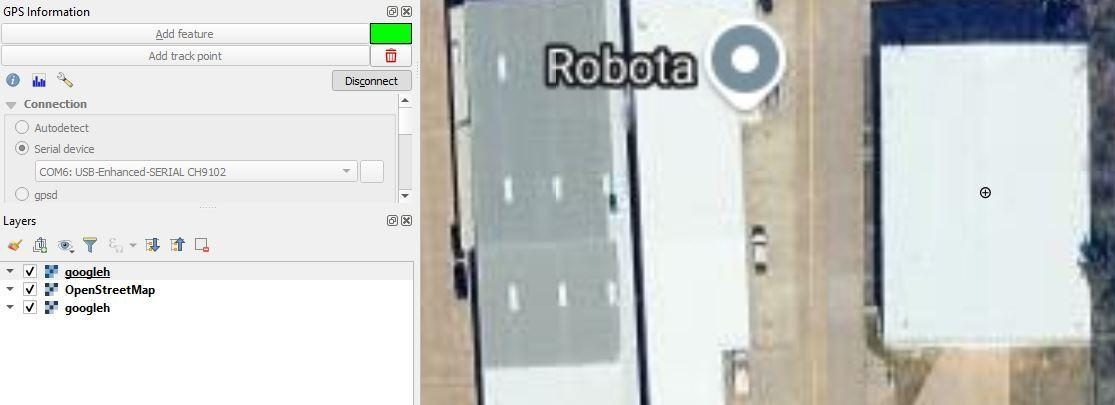
RoboDot interfaces with QGIS to ensure precise GPS coordinate tracking by integrating its output with QGIS's mapping capabilities. By connecting RoboDot to a PC through the specified serial port setup, users can seamlessly transmit GPS data to QGIS. This connection allows for real-time marking and plotting of points on geographic maps, enhancing accuracy in spatial data representation. This integration transforms RoboDot into a powerful tool for geographic analysis and precise location pinpointing, leveraging QGIS’s sophisticated GIS tools.

## PC Setup

Connection: Serial port Setup:

1. Connect via USB
2. Configure GPS panel:
   * Select serial device
   * Choose COM port
   * Connect

<figure><img src="/files/S167JUV2oKU32Vtc0MDK" alt=""><figcaption><p>RoboDot Connected it QGIS</p></figcaption></figure>

## RoboDot Setup

For the highest accuracy in your RoboDot setup, enable it to connect to a Wi-Fi hotspot and a Virtual Reference Station (VRS) for corrections. This configuration facilitates Real-Time Kinematic (RTK) level precision, significantly enhancing the positional accuracy beyond what is possible with standard GPS alone. By leveraging these network connections, RoboDot can achieve highly precise geolocation data, essential for tasks requiring exact positioning.


---

# Agent Instructions: Querying This Documentation

If you need additional information that is not directly available in this page, you can query the documentation dynamically by asking a question.

Perform an HTTP GET request on the current page URL with the `ask` query parameter:

```
GET https://docs.robota.us/robodot-touch-applications/gis-integration/qgis-pc.md?ask=<question>
```

The question should be specific, self-contained, and written in natural language.
The response will contain a direct answer to the question and relevant excerpts and sources from the documentation.

Use this mechanism when the answer is not explicitly present in the current page, you need clarification or additional context, or you want to retrieve related documentation sections.