On this page
Operating Modes
Choose Base, Rover, Repeater, or BLE Rover for your workflow. Set a boot mode to use it at startup.
Fix quality indicators
Check the fix type before measuring:
| Fix Type | Explanation |
| 3D | An uncorrected position, typically accurate to a few metres under good conditions. Recorded observations may be used for post-processing. |
| Float | Corrections are being used, but the receiver has not resolved a Fixed RTK solution. |
| Fixed | The rover has resolved an RTK solution. Centimetre-level results still depend on the base position, correction source, antenna setup, and conditions. |
| Surveyed | The base position has been set manually or by averaging. This status does not establish the accuracy of that position. |
Importance in Different Workflows
Use Fixed for precise real-time rover measurements. For PPK, record observations with a usable GNSS fix and check the processing result before relying on it.
Base Station Considerations
Rover coordinates inherit errors in the base position. Use known coordinates or a suitable correction service when absolute accuracy matters.
Servers
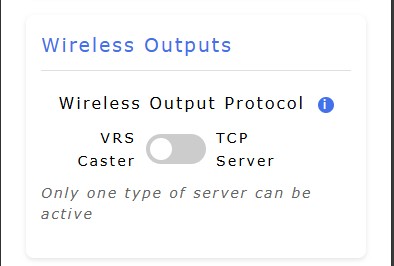
Pick a Server
Select one server in the web UI or touch screen settings:
- VRS Caster supplies RTCM3 corrections to rovers when RoboDot is a base.
- TCP Server sends NMEA and accepts RTCM3 in Rover mode; it sends RTCM3 in Base mode.
Only one of these servers can be active at a time.