On this page
SW Maps (iOS)
SW Maps GIS is a free mapping application that offers several benefits, particularly when combined with high-precision data. It allows users to integrate real-time GNSS data for accurate field data collection, which is crucial for professionals across various industries such as surveying, agriculture, and environmental monitoring. By using high-precision GNSS systems, SW Maps ensures that the data collected is reliable and accurate, enabling professionals to make informed decisions, improve project outcomes, and enhance the quality of cartographic outputs. This level of precision minimizes errors and reduces the likelihood of resource misallocation, leading to more efficient and effective project management.
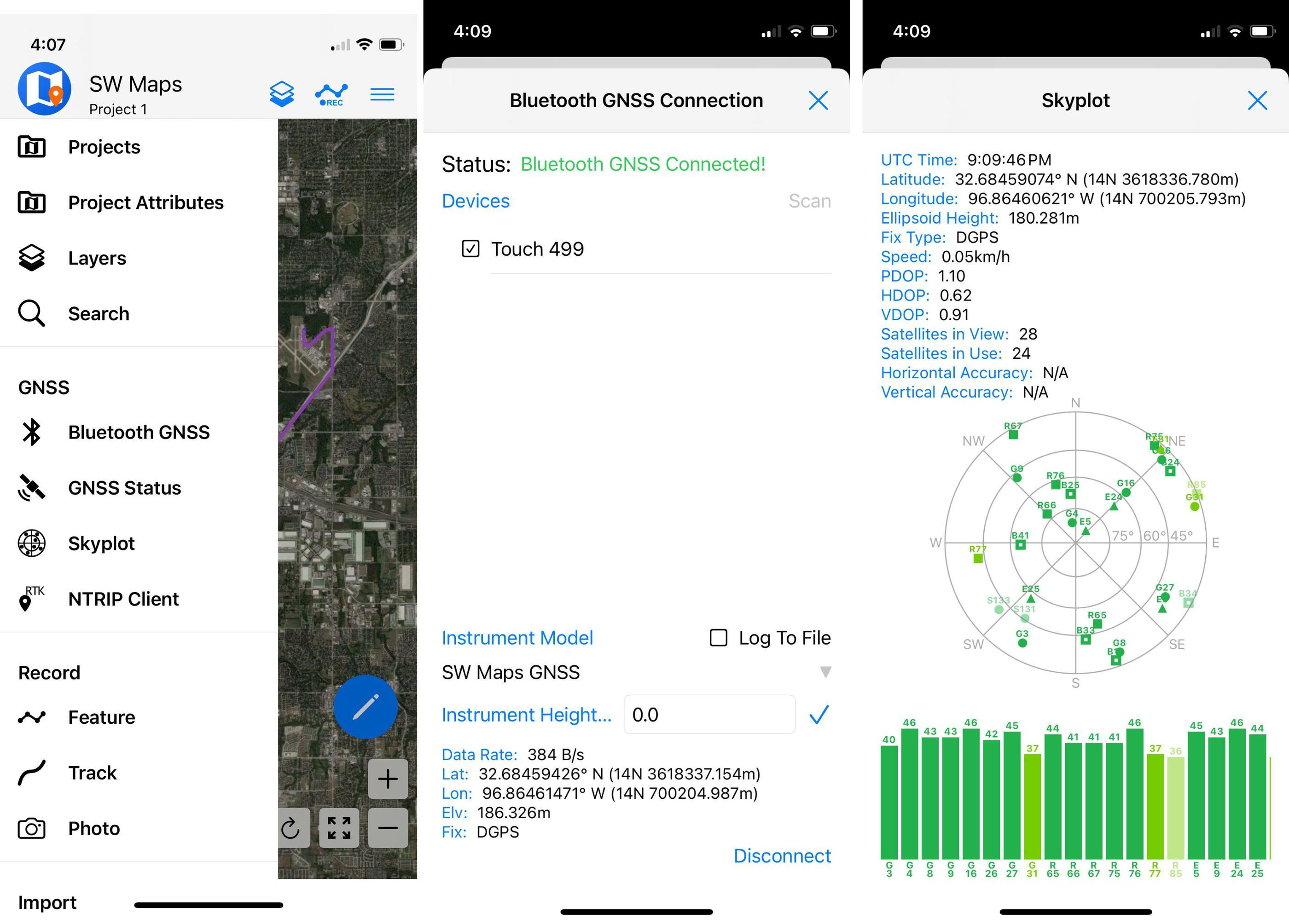
SW Maps on iOS Bluetooth GNSS
Setup (BLE)
SW Maps for iOS has streamlined the process of integrating with high-precision GNSS devices by exclusively supporting Bluetooth Low Energy (BLE) connections to RoboDot.
Steps:
- Enable RoboDot Bluetooth in Web UI settings
- In SW Maps menu, select Bluetooth GNSS
- Select the Touch_### and connect to device as "GENERIC NMEA"
- Click NTRIP Client to configure a correction service for high accuracy
- Do not set up RoboDot to connect to a VRS, the app proviedes the corrections
In this configuration, the RoboDot (acting as a rover) connects to the iOS device using Bluetooth Low Energy (BLE). The iOS device, which generally has internet connectivity, then connects to the Virtual Reference Station (VRS) to receive RTK corrections. These corrections are subsequently relayed back to RoboDot, enabling it to achieve precise positioning accurate enough for applications that demand higher location precision.